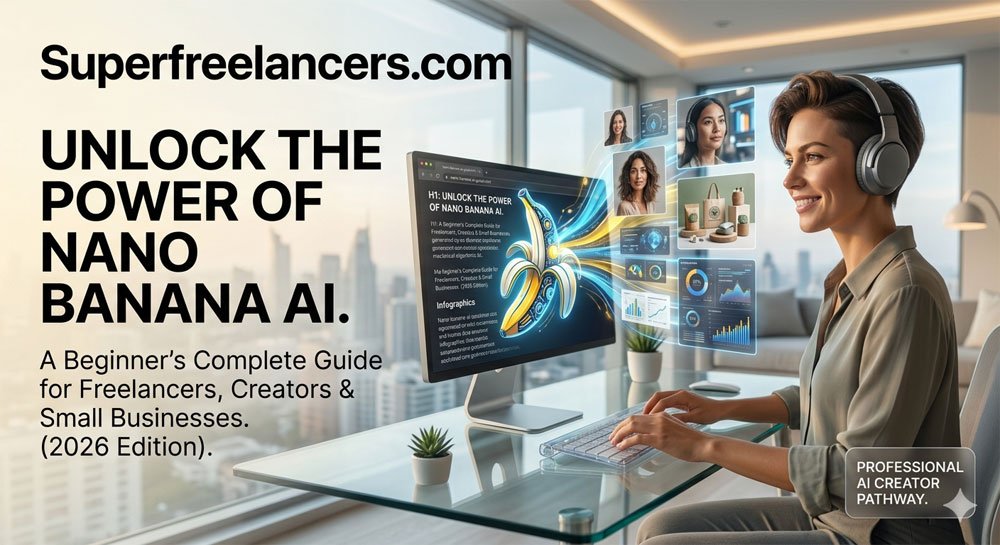
What is Nano Banana AI? A Beginner's Complete Guide
The plain-English guide to understanding Google's most talked-about AI image tool, how it works, what you can do with it, and how to start creating stunning visuals with simple text prompts today.
Why You Can Trust This Guide
You have probably seen AI-generated images flooding your social media feeds. Clean product shots, stunning portraits, infographics that look like they cost thousands of dollars. A lot of that content is being made with a single tool that most people have never heard of by name.
That tool is Nano Banana AI, and it is quickly becoming one of the most powerful and accessible AI image generators available anywhere online.
Whether you are a freelancer, content creator, small business owner, or simply someone who wants to bring ideas to life visually, this guide will explain exactly what Nano Banana AI is, how it works, and how you can start using it right now without any design skills whatsoever.

What is Nano Banana AI?
Nano Banana AI is Google's advanced AI-powered image generation and editing system, built on the Gemini model family and officially known as Gemini Flash Image and Gemini Pro Image.
The nickname "Nano Banana" originated in August 2026 when the model appeared anonymously on the LMSYS Chatbot Arena benchmarking platform under the codename "nano-banana." It immediately outperformed competitors like Midjourney and Flux in blind tests, and the AI creator community adopted the name enthusiastically.
Unlike traditional design software, Nano Banana does not require you to learn any technical skills. You simply describe what you want in plain language, and the AI creates it. That is the core idea behind the entire system.
Quick Definition for Featured Snippets
Nano Banana AI is a text-to-image generator developed by Google DeepMind, integrated into the Gemini ecosystem. It allows users to create and edit high-quality images using natural language prompts, with no design experience required. It is accessible through Google AI Studio, the Gemini app, and third-party platforms.
The Three Nano Banana Models Explained
Nano Banana is not a single tool. It refers to a family of three distinct models, each built for a different use case and budget.
Model 1 — Nano Banana (Standard)
Built on Gemini 2.5 Flash Image
Optimized for speed and high-volume tasks. Perfect for beginners, social media content, and quick creative experimentation. Available free inside the Gemini app.
Model 2 — Nano Banana 2
Built on Gemini 3.1 Flash Image Preview
The best all-around balance of quality, speed, and cost. Includes real-time web search grounding so it can verify facts before generating visuals like data infographics.
Model 3 — Nano Banana Pro
Built on Gemini 3 Pro Image (released November 2025)
The flagship model. Up to 4K resolution, support for up to 14 reference images per prompt, pose control, SynthID watermarking, and character consistency across scenes. Best for professional creators and enterprise marketing teams.
How Does Nano Banana AI Work?
Most AI image tools work by pattern matching. They have seen millions of images and learn to predict what pixels look like based on your words. Nano Banana works differently.
It applies deep language reasoning before generating anything. It reads your entire prompt the way a human director would read a script, understanding composition, lighting, spatial relationships, and context before producing a single pixel.
This is why it handles complex, multi-part instructions so reliably. Ask it to create a product image with a specific background, a brand color scheme, a piece of readable text, and cinematic lighting, and it will execute all of those instructions simultaneously without dropping any of them.

The Core Technology Behind It
Nano Banana uses a multimodal diffusion-based approach combined with Gemini's large language model capabilities. This combination gives it abilities that traditional image generators simply do not have:
- Text rendering in images. It can place readable text like signs, labels, and logos directly inside generated visuals with high accuracy, something that tripped up older models constantly.
- Conversational editing. You do not start over every time you want a change. You type "now move the subject to the left" or "change the background to a sunset" and it updates the image accordingly.
- Character consistency. You can maintain the same face, outfit, or product design across multiple generated images, which is essential for brand content and storytelling.
- Search grounding. The Pro and Nano Banana 2 models can pull live data from Google Search. Ask it to generate an infographic about GDP statistics and it verifies those numbers before building the visual.
- SynthID watermarking. Every Pro-generated image receives an invisible digital watermark embedded in the pixels, helping verify AI-generated content authentically.
What Can You Actually Do With Nano Banana AI?
The range of use cases is broader than most people expect. Here is a breakdown of the most practical applications across different industries and creator types.
How to Start Using Nano Banana AI (Step by Step)
You do not need to be a developer or a designer to start right now. Here is the simplest path to your first generated image.
Open Google AI Studio or the Gemini App
Go to aistudio.google.com and sign in with your Google account. Alternatively, open the Gemini app on Android or iOS. The standard model is completely free to use.
Select the Nano Banana Model
In AI Studio, look for "Nano Banana" or "Gemini 2.5 Flash Image" in the model picker dropdown. In the Gemini app, it may appear as the image generation option within the standard interface.
Write Your First Prompt
Describe what you want in a full sentence, not just keywords. Instead of "dog astronaut," try "A golden retriever wearing an astronaut suit, floating in space, Earth visible in the background, cinematic lighting." Full sentences produce far better results.
Generate and Refine Conversationally
Click generate and review the result. If anything is off, type a natural follow-up like "make the background darker" or "add a bright orange sunset sky." You can keep refining without starting over.
Download and Use Your Image
Save your final image directly from the interface. For professional work with Nano Banana Pro, your image is automatically tagged with a SynthID watermark invisible to the naked eye but verifiable by detection tools.
Pro Tip for Better Prompts
Think like a film director when writing your prompts. Include the subject, the setting or environment, the lighting style, and any constraints (like "keep background blurred" or "corporate tone"). For ready-to-use prompt templates, visit SuperFreelancers Nano Banana Prompt Library for over 75 tested prompts organized by category.

Nano Banana AI Pricing: Free vs Pro
One of the biggest reasons Nano Banana grew so fast is that the core version is genuinely free to use. Here is how the pricing tiers break down.
Standard (Free)
$0
Via Gemini app or Google AI Studio
- Basic text-to-image generation
- Conversational editing
- Standard image quality
- Image editing and background removal
- No character consistency or Pro features
Nano Banana Pro
~$20/month
Via Google One AI Premium (Gemini Advanced)
- Everything in Standard, plus
- Up to 4K resolution output
- Character consistency across scenes
- Up to 14 reference images per prompt
- SynthID watermarking & multi-image fusion
Nano Banana AI: Honest Pros and Cons
No tool is perfect. Here is an honest breakdown of what Nano Banana does exceptionally well and where it still has limitations.
What Works Really Well
- Free tier is genuinely useful for everyday creators
- Text rendering inside images is far more accurate than competitors
- Conversational editing saves enormous amounts of time
- Character consistency across multiple images is a game changer
- Outperformed Midjourney v6 and Flux in blind community tests
Where It Falls Short
- Pro features require a $20/month subscription
- Gemini 3 Pro (top tier) is restricted to enterprise users for now
- Highly artistic or surrealist styles can still be inconsistent
- Vague or poorly structured prompts produce poor results
- Content policies restrict certain types of imagery
Nano Banana AI vs Competitors: Quick Comparison
How does Nano Banana stack up against the most popular alternatives? Here is a side-by-side look at the key differences.

Who Should Use Nano Banana AI?
Not every AI tool is right for every person. Here is a straightforward breakdown of who gets the most value from each tier.
Best for Beginners (Free Tier)
Students, hobbyists, social media users, and anyone experimenting with AI image generation for the first time. The free Gemini app version is powerful enough to create professional-looking content without spending anything.
Best for Freelancers and Content Creators (Pro)
If you are building a visual brand, creating client deliverables, or producing consistent content at scale, Nano Banana Pro pays for itself quickly. The character consistency and high-resolution output alone make it worth the subscription. See how AI tools are reshaping freelance work on SuperFreelancers.
Best for Enterprise and Marketing Teams (Gemini Advanced)
Marketing departments, agencies, and design teams that need consistent branded assets at volume. The search grounding feature is particularly valuable for creating accurate data visualizations and campaign materials.
Best for E-commerce Sellers
Shopify store owners, Amazon sellers, and small business owners who want professional product photography without expensive photoshoots. Generate product mockups in any setting with consistent brand colors in minutes.
Writing Better Nano Banana Prompts: The 5-Element Framework
The quality of your output is directly tied to the quality of your prompt. Google has published an official five-element framework for getting the best results from Nano Banana. Here is how to use it.
The 5-Element Prompt Formula
For a complete library of ready-to-use prompts organized by industry and use case, visit the SuperFreelancers Nano Banana Prompt Library. It covers everything from product photography to infographic generation to character design.
For advanced prompt engineering resources and AI workflow building, also check out AIEnhancer's full prompt guide and the official Google AI Studio model page.
Frequently Asked Questions
Final Verdict: Is Nano Banana AI Worth Using?
Yes, without hesitation. Nano Banana AI is currently one of the most capable and accessible AI image generation platforms available anywhere. The free tier alone is more powerful than many paid tools from just a year ago.
For beginners, start with the free Gemini app. For freelancers and content creators, Nano Banana Pro at around $20 per month will pay for itself on the first client project. For enterprise teams, it is already replacing expensive design workflows and stock photography budgets across industries.
Your three next steps right now:
Expert Tip from the SuperFreelancers Team
The single most effective habit for getting consistently great results from Nano Banana AI is to build a personal prompt template library. Every time a prompt produces an output that truly impresses you, save it. Strip out the specific details and keep the structural formula.
Within a few weeks, you will have a collection of proven formulas for product shots, social graphics, and marketing visuals. That library becomes a genuine competitive advantage, especially if you are using these skills in client work. Prompt engineering is quickly becoming one of the most in-demand freelance skills of 2026, and mastering Nano Banana is one of the fastest ways to develop it.