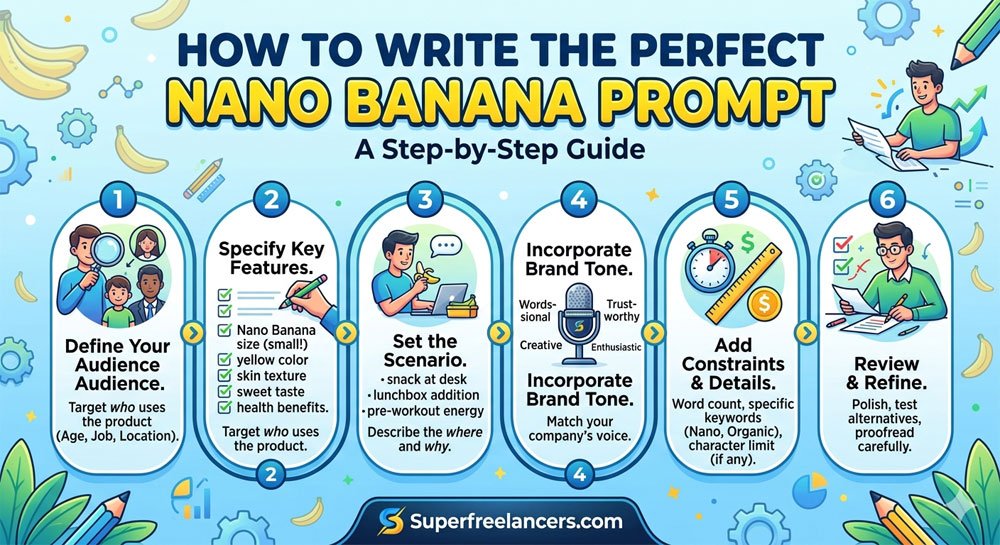
How to Write the Perfect Nano Banana Prompt (Step-by-Step)
The complete beginner-to-advanced guide for crafting Nano Banana prompts that consistently produce stunning, publish-ready AI images on the first try.

Why You Can Trust This Guide
- Based on Google's official 5-element prompt framework from the Gemini team
- Incorporates real prompt test results from Google AI Studio, Ambience AI, and InVideo
- Covers Nano Banana Standard, Nano Banana 2, and Nano Banana Pro differences
- Written for creators at every level from first-time users to professional AI artists
Most people who get bad results from Nano Banana are not doing anything technically wrong. They are just prompting it the way they would type a Google search. Short, vague, keyword-heavy. That approach will never unlock what this model can actually do.
Nano Banana AI reads your prompt the way a film director reads a script. It is looking for a full picture, not a keyword list. The difference between a blurry, generic output and a stunning, publish-ready image almost always comes down to how the prompt was written.
This guide walks you through every step of writing the perfect Nano Banana prompt, from the basic five-element framework to advanced techniques for text rendering, character consistency, and conversational editing. By the end, you will have a repeatable system that works every time.
Quick Answer: The Perfect Nano Banana Prompt Formula
A perfect Nano Banana prompt contains five core elements: Style (the visual approach), Subject (the main focus), Action (what is happening), Setting (where and when), and Composition (how it is framed). You do not need all five every time, but the more you include, the more control you have over the output.
Before You Start: How Nano Banana Actually Reads Your Prompt
Understanding the model's internal process changes everything about how you write for it. Nano Banana does not just scan for keywords. It applies deep language reasoning to your entire prompt before generating a single pixel.
Think of it as giving instructions to a highly skilled photographer. If you walk up to a photographer and say "take a photo of a woman," they will ask you ten follow-up questions. But if you say "a close-up portrait of a woman in her 30s, warm natural window light from the left, shallow depth of field, thoughtful expression, film grain aesthetic," they know exactly what to shoot.
That is precisely the difference between a bad Nano Banana prompt and a great one. Specificity is not about using more words for the sake of it. It is about giving the model the same context a professional creative brief would give a human.
The model also benefits from natural sentence structure. It understands context from flowing prose far better than it does from comma-separated keyword lists. Write like you are describing a scene to someone, not like you are filling out a form.
Weak Prompt (Avoid This)
No context, no scene, no style direction. The model will guess everything and rarely guess right.
Strong Prompt (Use This)
Clear subject, specific setting, defined lighting, framing, and style. The model has everything it needs.
Google's Official 5-Element Prompt Framework (Explained)
Google's Gemini team has published an official framework for prompting Nano Banana. It centers on five core elements. You can use any combination, and you do not need all five every single time. But understanding each one gives you full creative control.
01Style
Style is the visual language of your image. It is the single most powerful element in your prompt because it sets the aesthetic tone for everything else. Always define style early, ideally at the start or end of your prompt.
photorealisticfor real-world imagerywatercolor paintingfor soft artistic outputs35mm film photographyfor cinematic grain and depthminimalist flat designfor clean graphic workoil painting, impressionistfor textured artistic resultsstudio product photographyfor e-commerce visuals
02Subject
The subject is the main focus of your image. This is the person, object, animal, or concept the viewer's eye should land on first. Be specific. Vague subjects produce generic results.
- Weak: "a man" Strong: "a tall man in his 40s wearing a weathered leather jacket"
- Weak: "a coffee cup" Strong: "a ceramic matte black coffee mug with light steam rising"
- Weak: "a dog" Strong: "a golden retriever puppy with muddy paws looking up at the camera"
03Action
Action describes what is happening in the scene. This is one of the most commonly skipped elements, and skipping it produces static, lifeless results. Even subtle movement descriptions transform an image.
- "looking directly at the camera with a subtle smile"
- "mid-pour, coffee streaming into a white cup"
- "walking through falling autumn leaves, coat billowing"
- "reading a book by a rainy window, hand resting on the page"
- "hands pressing piano keys during a live performance"
04Setting
Setting is the environment, location, time of day, and lighting conditions. Nano Banana interprets scene atmosphere exceptionally well. Describe the light source specifically, not just "good lighting."
- "warm golden hour light from the left, late afternoon"
- "a cozy Parisian cafe interior, soft ambient light from wall sconces"
- "overcast daylight filtering through a frosted window"
- "dramatic side lighting in a dark studio, single spotlight"
- "blue hour, city skyline in the background, neon reflections on wet pavement"
05Composition
Composition controls how the image is framed. This includes camera angle, shot type, focal length, and depth of field. Adding camera terminology here gives Nano Banana a visual shorthand it understands deeply.
close-up portrait,medium shot,wide establishing shotlow angle looking up,bird's eye view,eye levelshallow depth of field,blurred background bokehrule of thirds,centered symmetrical composition16:9 landscape ratio,2:3 portrait ratio

Step-by-Step: How to Write Your Perfect Nano Banana Prompt
Now that you understand the five elements, here is the exact process to follow every time you sit down to write a new prompt.
Start With Your End Goal in Mind
Before writing a single word, ask yourself: what will this image be used for? Social media post, product listing, blog header, presentation slide? The end use determines every decision that follows, including style, aspect ratio, and composition.
Define Your Style First
Open your prompt with the visual style or place it at the very end as a strong closing instruction. Style sets the tone for how every other element will be rendered. Saying "photorealistic" versus "watercolor illustration" will produce completely different results even with an identical scene description.
Describe Your Subject Specifically
Name your subject with as much visual detail as genuinely matters. Age range, physical characteristics, clothing, expression, and any identifying features. Do not overdo it with irrelevant details, but never leave the model guessing about the central subject.
Add Action and Setting Together
Combine your action and setting naturally into one or two descriptive sentences. They work together to create scene momentum. "A chef plating a dish in a bustling restaurant kitchen, warm overhead light flickering across stainless steel surfaces" is far more vivid than describing each element separately.
Close With Composition and Technical Notes
End your prompt with framing, shot type, depth of field, and any aspect ratio specifications. This is also where you add final style reinforcement like "35mm film grain" or "award-winning photography." Think of this closing section as your technical brief to a camera operator.
Generate, Evaluate, and Iterate Conversationally
Do not start a completely new prompt if your first result is close but not perfect. Type exactly what you want adjusted. "Move the subject slightly to the right," "change the lighting to a cool blue tone," or "remove the background clutter" are all valid conversational editing instructions. Nano Banana responds to these naturally.
Ready-to-Use Nano Banana Prompt Examples by Category
Here are fully written prompt examples using the five-element framework for common use cases. Copy, adapt, and make them your own.
Need More Nano Banana Prompts?
Browse our full library of ready-to-use prompts organized by category: portraits, product shots, creative writing, infographics, and more.

Advanced Nano Banana Prompting Techniques
Once you are comfortable with the five-element framework, these advanced techniques take your results to a professional level.
Text Rendering: Getting Readable Words Inside Your Images
Nano Banana Pro's text rendering is one of its most powerful and underused features. To get accurate, readable text inside a generated image, follow these specific rules.
- Put the exact text in quotation marks inside your prompt. Example:
a neon sign that reads "OPEN 24 HOURS" in red capital letters - Specify font style and placement. "Bold sans-serif white text centered on a dark blue banner" gives the model clear visual instructions.
- For infographics with multiple text elements, generate the text content in a separate prompt turn first, then request the full visual incorporating that text.
- Use Nano Banana Pro for text-heavy images. The standard model handles simple text well, but Pro renders complex multi-line or multi-language text significantly more accurately.
Character Consistency Across Multiple Images
One of Nano Banana Pro's standout features is its ability to maintain the same character across multiple generated images. This is essential for brand mascots, storytelling series, and product campaigns.
- Upload up to 14 reference images per prompt when using Nano Banana Pro via Google AI Studio
- Create a "character sheet" prompt first that locks in facial features, hair, outfit, and expression
- Reference that first image explicitly in each subsequent prompt: "using the same character from the reference image, now show her in a coffee shop setting"
- Specify "identical character design" and "same face, same clothing" in each new prompt to reinforce consistency
Search Grounding for Accurate Infographics
Nano Banana 2 and Pro can pull live data from Google Search before generating your image. This means data-driven visuals like charts, statistics infographics, and factual diagrams can be verified automatically.
Example prompt using search grounding:
"Create an infographic showing the top 5 largest cities in the world by population in 2026. Use verified current data. Bar chart format with city names clearly labeled. Clean minimal design with dark navy background and white text."
Conversational Editing After Generation
This is where most beginners leave a lot of quality on the table. After your first generation, do not start over. Edit conversationally instead.
Good Edit Instructions
- "Make the background more blurred"
- "Change the shirt color to deep blue"
- "Move the subject slightly to the left"
- "Add light rain falling in the background"
- "Make the lighting warmer and more golden"
Avoid These Edit Mistakes
- Changing core composition in a follow-up (restart instead)
- Asking for too many changes at once
- Vague instructions like "make it better"
- Contradicting your original style setting
- Adding entirely new subjects mid-session

7 Common Nano Banana Prompting Mistakes (And How to Fix Them)
These are the most frequent mistakes creators make, and the specific fix for each one.
| # | Mistake | The Fix |
|---|---|---|
| 01 | Keyword stuffing instead of sentences | Write in natural flowing prose like you are directing a photographer |
| 02 | Skipping style entirely | Always define the visual aesthetic, even if just one word like "photorealistic" or "illustration" |
| 03 | Saying "good lighting" without specifics | Name the light source, direction, and time of day: "warm golden hour light from the upper left" |
| 04 | Overloading with too many elements at once | Start with the essential five elements. Add complexity in conversational follow-ups |
| 05 | Not specifying text in quotes for text rendering | Always put exact text content in quotation marks within the prompt |
| 06 | Starting a new prompt after a near-perfect result | Use conversational editing to refine. You will converge to the ideal result faster |
| 07 | Forgetting to specify aspect ratio | Add "16:9 landscape" for social headers, "2:3 portrait" for mobile content, "1:1 square" for Instagram |
Which Nano Banana Model Should You Use for Your Prompt?
Not all prompts need the same model. Here is how to match your prompt type to the right tier.
Nano Banana Standard
Built on Gemini 2.5 Flash
- Social media content
- Quick iteration and testing
- High-volume creative work
- Simple portraits and scenes
Nano Banana 2
Gemini 3.1 Flash Preview
- Data-driven infographics
- Fact-verified visual content
- Advanced creative projects
- Best speed-to-quality balance
Nano Banana Pro
Gemini 3 Pro Image
- Professional brand visuals
- Text rendering in images
- 4K resolution output
- Character consistency series
Wondering How Nano Banana Stacks Up Against ChatGPT?
We tested both tools head-to-head across speed, text rendering, realism, and complex prompts. See the full results.
Where to Write and Test Your Nano Banana Prompts
You can access Nano Banana through several platforms depending on your workflow and subscription level.
| Platform | Best For | Cost |
|---|---|---|
| Gemini App | Beginners, quick generation, mobile use | Free |
| Google AI Studio | Advanced testing, API access, developers | Free tier + paid API |
| Gemini Advanced | Pro model, 4K, character consistency | Google One subscription |
| Third-Party AI Tools | Workflow integration, side-by-side model testing | Varies by platform |
Frequently Asked Questions
How long should a Nano Banana prompt be?
There is no strict word limit, but the sweet spot is two to five sentences covering the five elements. Short prompts under 10 words produce generic results. Very long prompts over 200 words can cause the model to drop elements. Aim for descriptive but focused writing, similar in length to a camera direction note a film director would write.
Should I use keywords or sentences in my Nano Banana prompt?
Always write in sentences. Nano Banana understands natural language and derives context from sentence structure. Comma-separated keyword lists give the model no scene context, no relationships between elements, and no atmosphere. Write like you are directing a scene, not filling out a form.
Can Nano Banana render text inside images accurately?
Yes, and it is one of Nano Banana's strongest capabilities compared to competing models. For best results, put the exact text you want in quotation marks inside your prompt, specify the font style and placement, and use Nano Banana Pro for anything requiring multiple lines or complex text layouts.
What is the five-element Nano Banana prompt framework?
It is Google's official approach to structuring Nano Banana prompts. The five elements are Style (the visual aesthetic), Subject (the main focus), Action (what is happening), Setting (environment and lighting), and Composition (framing and shot type). Using all five gives you the highest level of creative control over your output.
How do I fix a Nano Banana image that is close but not perfect?
Do not start a new prompt. Use conversational editing by typing exactly what you want adjusted in plain language. Be specific about one change at a time. "Make the background more blurred" or "shift the lighting to a cooler blue tone" are effective edit instructions. Avoid vague feedback like "make it better."
Is Nano Banana better than ChatGPT for AI image prompting?
For most creators, yes. Nano Banana is significantly faster, handles text rendering inside images more accurately, and produces more natural cinematic realism. ChatGPT Images 2.0 has an advantage on very complex, multi-element structured prompts. Read our full Nano Banana vs ChatGPT comparison for the detailed breakdown.
Keep Learning: Related Guides
Expert Tip from John Miller
AI Prompt Strategist, Superfreelancers
The single habit that separates average AI image creators from professional ones is treating prompt writing like a craft. Keep a running personal prompt library. Every time you get a result you genuinely love, save the full prompt with a note about what made it work.
Over time you will start to see patterns in what Nano Banana responds to best. Your own accumulated prompt library will outperform any generic list you find online because it is tuned to your specific creative style and workflow. Start that library today, even just in a notes app.
Conclusion
Writing the perfect Nano Banana prompt is not complicated once you understand how the model actually reads your instructions. The five-element framework, Style, Subject, Action, Setting, and Composition, gives you a repeatable structure that works across every category of creative work.
Start with clear, natural sentences. Be specific about lighting and atmosphere. Put exact text in quotation marks when you need readable words inside images. Use conversational editing to refine rather than starting over. And build your own personal prompt library over time.
Your next step is simple. Open the Gemini app for free, pick one of the example prompts from this guide, and generate your first image today. Then tweak it conversationally and watch how quickly your results improve.
Start Creating With Nano Banana Today
Access our full prompt library, explore prompt engineering fundamentals, and read the complete AI model comparison.